

Have you ever logged onto Discord and noticed an orange dot next to a friend’s name and wondered, “What does idle mean on Discord?”
Discord’s status system helps users communicate their availability without sending a single message.
Whether you’re gaming, working, or chatting socially, understanding Discord idle status and other indicators can save confusion and help you manage your online presence better.
Below, we’ll dive deep into everything about Idle on Discord, Discord status explained, and tips for using the system effectively.
Discord Status System Explained
Discord is more than just a chat platform. Its status system tells people when you’re available, away, or focused. Here’s a breakdown.
What Are Discord Statuses?
Discord allows you to set your online presence using different statuses:
| Status | Color | Meaning | Automatic/Manual |
| Online | Green | You’re active and reachable | Automatic |
| Idle | Orange | You’re away or inactive | Automatic/Manual |
| DND (Do Not Disturb) | Red | Do not send notifications | Manual |
| Invisible | Gray | Appear offline while online | Manual |
| Offline | Gray | Not connected to Discord | Automatic |
Each status indicator communicates availability without interrupting your flow or that of others.
How Discord Tracks User Activity
Discord uses inactivity detection to monitor user presence. If you haven’t interacted with Discord for a while; like typing or clicking; the platform automatically marks you as Idle.
- Desktop app: Idle after ~10 minutes of inactivity.
- Mobile app: Idle is triggered when the app is running but unused.
- Streaming or gaming: Discord may show activity via the presence system, highlighting the game or app you’re using.
This activity tracking ensures that friends and team members know when you’re really AFK.
Why Statuses Matter in Discord Communication
Your user status isn’t just cosmetic. It helps in:
- Team coordination in gaming.
- Work communication on Discord servers for remote projects.
- Social awareness, so friends don’t spam someone who’s away.
By understanding Discord online status and other indicators, you maintain clarity in every conversation.
Idle on Discord: Meaning and Implications
What Does Idle Mean on Discord?
When a user’s status shows Idle, it usually means they are away from their device. Discord automatically marks you as Idle after a period of inactivity, usually around 10 minutes.
Key points:
- Idle does not mean offline: You are still technically online and can receive messages.
- Orange dot indicator: This visually signals your temporary unavailability.
- Presence system: Discord may show what activity you were last engaged in.
Example: You start typing in a Discord chat but walk away to grab a snack. After some minutes, your status changes to Idle, letting others know you aren’t actively monitoring chats.
Automatic vs Manual Idle Status
- Automatic Idle: Triggered by inactivity. Discord detects no app usage and sets you to Idle.
- Manual Idle: You can manually select Idle from the status menu if you want to step away intentionally.
This flexibility is important for Discord inactivity detection, allowing you to manage your visibility consciously.
Idle vs Offline: Key Differences
While both statuses might make you appear away, there’s a crucial difference:
| Status | Shows Activity? | Notifications? | Friend Perception |
| Idle | Yes (online technically) | Yes | “Away temporarily” |
| Offline | No | No | “Not online” |
This is why understanding Discord offline vs idle is critical; misreading these can lead to communication mistakes.
Discord Status Colors and Icons: What They Mean
Discord Status Colors Explained
Discord uses color-coded indicators to show your availability clearly:
- Green: Online
- Orange: Idle
- Red: DND (Do Not Disturb)
- Gray: Offline or Invisible
A simple glance at the status color can tell you whether someone is ready to chat, away, or busy.
Understanding Status Icons
Beyond color, Discord uses icons to provide context:
- Small dot: Typical online/idle indicator.
- Game/Streaming icon: Shows if you’re currently playing or streaming.
- Custom activity messages: Optional text that explains what you’re doing.
These indicators are part of the Discord presence system and help track your activity on the platform.
Common Misunderstandings About Status Icons
Some users confuse Invisible and Offline, or assume Idle means they are unreachable. In reality:
- Idle users can still be messaged.
- Invisible users appear offline but can interact.
- DND users receive messages silently.
Understanding these differences reduces confusion, especially in busy servers.
How to Change Your Status on Discord
Setting Idle Manually
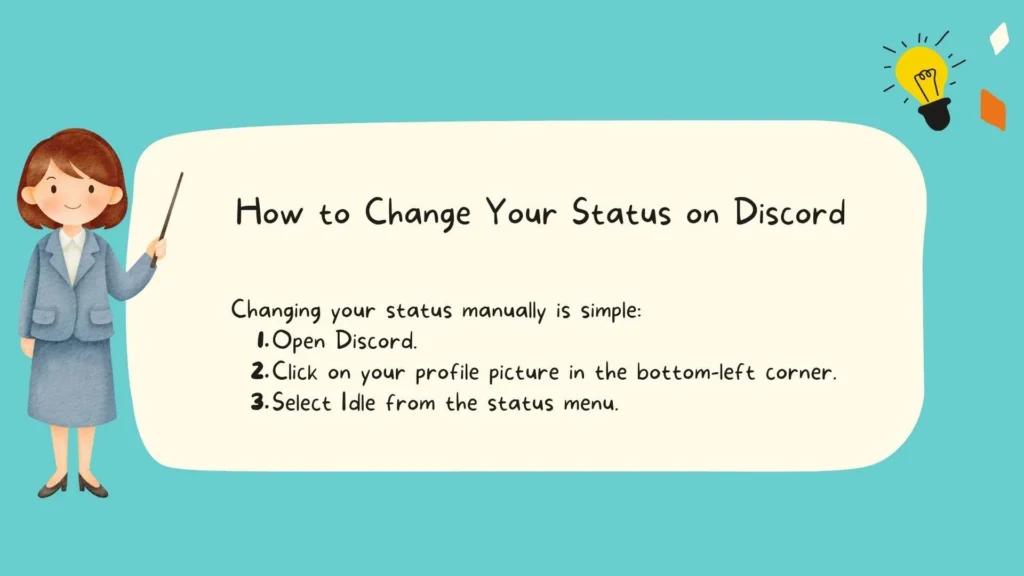
Changing your status manually is simple:
- Open Discord.
- Click on your profile picture in the bottom-left corner.
- Select Idle from the status menu.
You can choose Idle for short breaks or long periods away. Both desktop and mobile apps support manual changes.
Using DND, Invisible, and Other Statuses
- DND: Blocks notifications while keeping you online.
- Invisible: Lets you browse Discord secretly while appearing offline.
- Online: Default active state, letting friends know you’re available.
Status Tips for Better Communication
- Use Idle if stepping away during gaming or remote work.
- Combine status with custom messages: “Back in 15 mins 🍵.”
- Avoid confusion: don’t leave DND on indefinitely if you want to chat.
Discord Idle in Context: Gaming, Work, and Social Use
Idle Status in Gaming Communities
In gaming servers, Idle lets teammates know you are away temporarily without appearing offline.
- Example: A player steps away from a competitive match but remains technically online.
- Discord’s activity tracking can show the last game activity.
Idle Status for Work Servers
Discord isn’t just for fun. Many remote teams use it for collaboration:
- Idle status prevents unnecessary pings.
- Managers can see who is actively working versus temporarily inactive.
- Combines with AFK meaning to reduce workflow interruptions.
Social Use and Etiquette
Socially, Idle communicates politeness:
- Friends know not to expect an instant reply.
- Avoids miscommunication about availability.
- Enhances group chat dynamics.
Frequently Asked Questions About Discord Idle
Can I Appear Online While Being Idle?
Yes, manually setting Online overrides automatic Idle. You can appear active even when stepping away.
Does Discord Automatically Set Me to Idle?
Yes, after ~10 minutes of inactivity. Mobile and desktop apps both support automatic idle status.
How Long Until Discord Marks Me as Idle?
Around 10 minutes of no activity. Discord monitors keystrokes, clicks, and app usage.
Can Idle Status Affect Notifications?
No. Idle users still receive notifications, unlike DND users.
How to Detect if Someone Is Really AFK?
Combine Idle status with activity icons. If Discord shows no activity, the user is likely away.
Additional Discord Status Tips and Tricks
Using Bots or Extensions to Manage Status
Some bots allow:
- Automatic status changes based on your calendar.
- Notifications when a user becomes Idle or Online.
- Integration with Discord’s presence system for advanced tracking.
Combining Status with Custom Messages
Add context with custom messages:
- “Working on a project 📝.”
- “Stepped out for lunch 🍔.”
- “AFK – Back in 10 minutes ⏳.”
This provides clarity alongside status indicators.
Monitoring Your Discord Presence
You can check your activity with:
- User settings > Activity Status
- Server-specific presence tracking for games or apps
- Activity tracking logs in Discord bots
This ensures your friends and teammates understand when you’re available.
Conclusion
Understanding what idle means on Discord is more than just interpreting an orange dot.
It’s about effective communication, whether you’re gaming, working, or socializing. By knowing Discord status system, presence indicators, and activity tracking, you can control how others perceive your availability.
Tips to Remember:
- Idle = away temporarily; can still receive messages.
- Offline = disconnected; others assume you are not available.
- Combine status colors with custom messages for clarity.
- Use DND or Invisible for focused work or secret browsing.
Mastering Discord statuses improves collaboration, reduces confusion, and makes the platform more enjoyable.
Also Check These Posts:
What Does Shibal Mean? Understanding the Korean Swear Word
What Does YW Mean in Text? Complete Guide to its Meaning, Uses and Context
What Does Cancelled Call Mean? Complete Guide to Understanding Cancelled, Missed and Blocked Calls

Bonnie Mae is a thoughtful writer with a deep love for words that inspire and heal. At Quoteliy.com, she shares heartfelt quotes about life, love, and self-growth — each crafted to bring peace and positivity to your day. Her passion lies in turning simple thoughts into meaningful reflections that touch hearts and spark hope.